It is super exciting to see the rich set of features that Wi-Fi 6 has brought to the table. With the likes of high throughput, power optimization, and broadened security, Wi-Fi 6, as a technology that got enough to tempt the network upgrade. As a result, these promising capabilities could knock off an array of challenging access issues seen in the enterprise network.
In a typical enterprise setup, the network administrator is liable for leading the upgrade with no consequences. It warrants the admin to do due diligence in the planning phase to deal with the task smoothly.
Following are the top-of-the-mind questions of the administrator on the upgrade.
What, do they sound like inhibitors? How relieving it may be if there is an efficient tool that provides sufficient insights and guidance for successful upgrades? Here it is. We have the Cisco DNA Center at our disposal to accomplish the purpose. Cisco DNA Center has a wide range of features that help right from planning to execution stage of the upgrade tasks.
During the planning phase, the administrator determines the various regions facing different access issues and prioritizes accordingly. Following are some of the typical access issues
Cisco DNA Center Assurance has an exclusive dashboard to give insights into the Wi-Fi 6 readiness of the enterprise network and a set of AI/ML-driven dashboards to detect the regions where the Wi-Fi 6 upgrade makes a difference. With Wi-Fi 6 dashboard, the administrator will get the pattern of which level of Wi-Fi 6 enabled clients are noticed in the network and the regions where they are spotted regularly. This dashboard additionally gives insights into what infra level upgrade is needed to enable Wi-Fi 6 in the network.
Once the network administrator obtains better information on the different regions for the network upgrade, the next logical step is to identify the appropriate types of Wi-Fi 6 access points to use. The good news is that Cisco offers a bundle of Wi-Fi 6 access points with all sorts of capabilities. Comparing and contrasting the various access points with the requirement will assist in finalizing the appropriate access points.
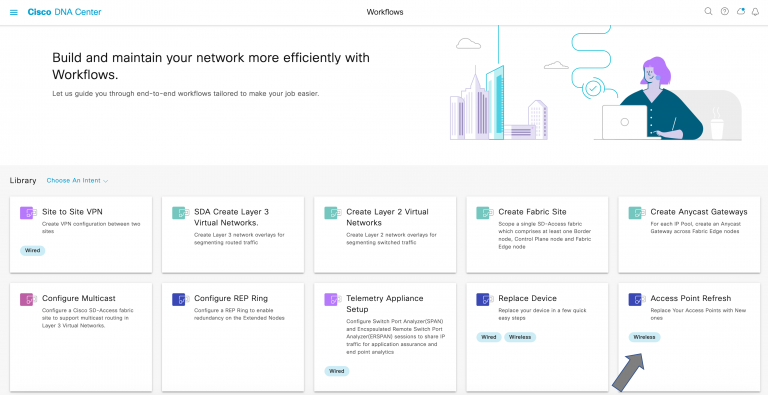
Usually, the network administrator will perform the upgrade activity during the planned maintenance window to prevent the loss of productivity of users. Cisco DNA Center offers a streamlined UI workflow byname “Access Point Refresh” using which the network administrator can conduct the upgrade task more fluidly.
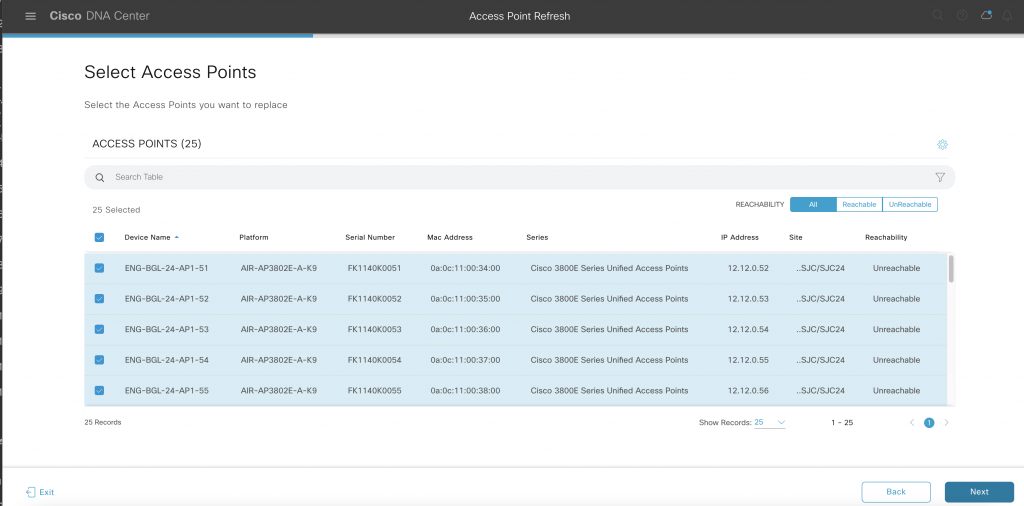
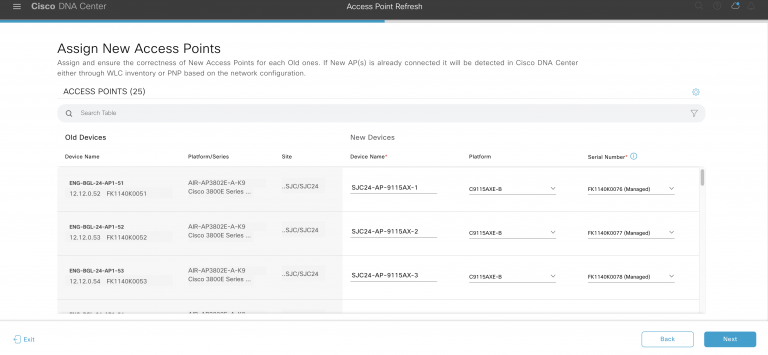
The preparatory work done in the planning phase will be handy. The workflow needs this information. Here is a quick digest of the steps involved in the workflow.
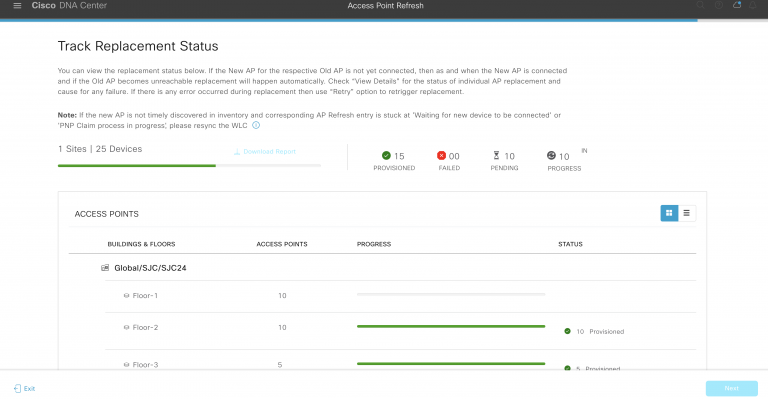
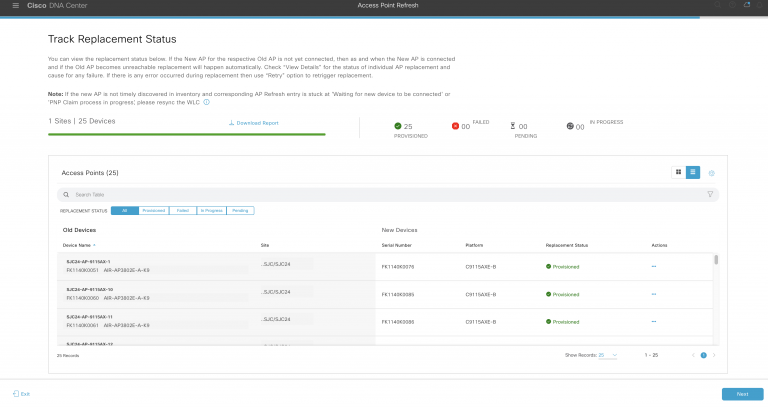
Here is some screen captures to visualize the support.
Upon completion of the workflow, the administrator should submit the workflow to trigger the replacement activity. This offers many distinct approaches as follows for the admin to accomplish the task conveniently.
As part of a successful replacement, the task copies all required config from the old Access Point to the new one and prepares it for serving the clients.
And finally, this workflow also provides the report with the status of the replacement. If any replacement tasks have failed for any interim reason, there is an option to retry the replacement task.
We hope Wi-Fi 6 is rather interesting and the enterprise can conveniently proceed with the upgrade task with Cisco DNA Center.
Learn more about Cisco Catalyst Access Points
Source: Blogs.cisco.com